Traditional desktop computers tie users to a physical machine. Upgrading hardware, replacing components, and maintaining software can become expensive over time. Cloud virtual desktops offer another approach by moving the computing environment to remote infrastructure that users can access through the internet.
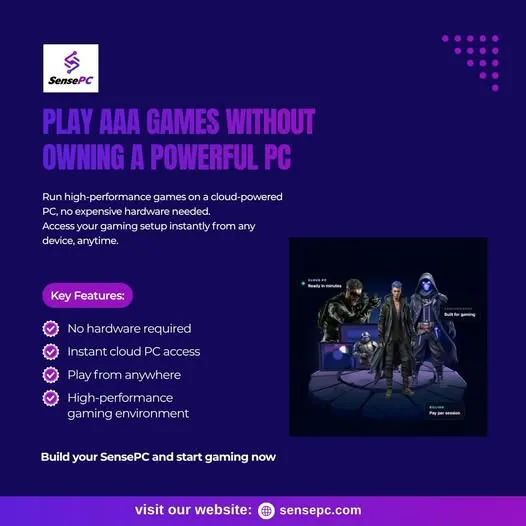
Whether someone needs a computer for work, development, productivity, or gaming, a virtual pc gaming can provide access to computing resources without depending entirely on local hardware.
What Are Cloud Virtual Desktops?
A cloud virtual desktop is a computer environment hosted in a remote data center. It provides an operating system, processing resources, memory, and storage that users can access through a browser or remote desktop application.
The cloud computer performs the main processing tasks, while the local device displays the desktop and sends keyboard and mouse inputs.
A typical virtual cloud desktop includes:
-
CPU: Processes applications and computing tasks.
-
RAM: Supports multitasking and demanding software.
-
GPU: Handles graphics-intensive and GPU-accelerated workloads when available.
-
SSD storage: Stores applications, documents, settings, and files.
-
Remote access: Connects users to their desktop from supported devices.
Unlike a basic virtual server, a cloud desktop provides an interactive computer environment designed for everyday use.
Why Choose a Desktop on Cloud?
Cloud desktops can offer several advantages for individuals and businesses.
Access from different devices: Connect to your desktop from supported laptops and computers without being tied to one physical machine.
Flexible computing resources: Choose configurations according to your workload, whether you need basic productivity or more demanding applications.
Reduced hardware investment: Access remote computing power without purchasing an expensive desktop upfront.
Persistent workspace: Keep applications, files, and settings between sessions when persistent storage is available.
Remote accessibility: Work with your cloud desktop from different locations, provided you have a supported device and stable internet connection.
However, cloud computing depends on network quality. Latency, bandwidth, and connection stability can affect the experience.
Cloud Virtual Desktop vs. Traditional Desktop
A traditional desktop runs directly on locally installed hardware. Users control the entire physical machine but also handle upgrades, maintenance, and hardware limitations.
A virtual cloud desktop runs remotely. The provider manages the underlying infrastructure, while users access their assigned computing environment.
| Feature | Traditional desktop | Cloud virtual desktop |
|---|---|---|
| Hardware | Locally owned | Remotely hosted |
| Access | Physical device | Internet connection |
| Upgrades | Hardware replacement | Available configurations |
| Maintenance | User responsibility | Shared with provider |
| Mobility | Device dependent | Supported remote access |
The best choice depends on performance requirements, budget, internet reliability, and the level of hardware control needed.
How SensePC Provides a Virtual Cloud Desktop
SensePC provides configurable cloud desktops for personal and professional computing.
Users can select available operating systems, computing profiles, storage, regions, and billing plans. Windows 11 and Ubuntu 24.04 graphical desktop environments are available.
SensePC supports browser access without requiring a desktop client. Users can also switch to Performance Mode through the Amazon DCV client on supported Windows, macOS, and Linux computers.
Its Hourly, Daily, and Monthly billing options provide flexibility for different usage patterns. The Hourly plan also supports on-demand CPU and memory resizing.
For users who need additional file storage, Sense Cloud provides a separate cloud storage service that works alongside SensePC. It supports storing, organizing, and transferring files between the cloud desktop and other devices.
Is a Cloud Virtual Desktop Right for You?
Cloud virtual desktops can be useful for remote workers, freelancers, developers, students, and users who want a more flexible computing environment.
Before choosing a provider, compare available hardware, operating systems, storage policies, access methods, security features, billing, and regional availability.
A desktop on cloud does not eliminate the need for a reliable local device and internet connection. However, it can reduce dependence on physical hardware and make computing resources accessible from more places.
With configurable environments and flexible access, SensePC offers an option for users who want their desktop to be available beyond a single physical computer.