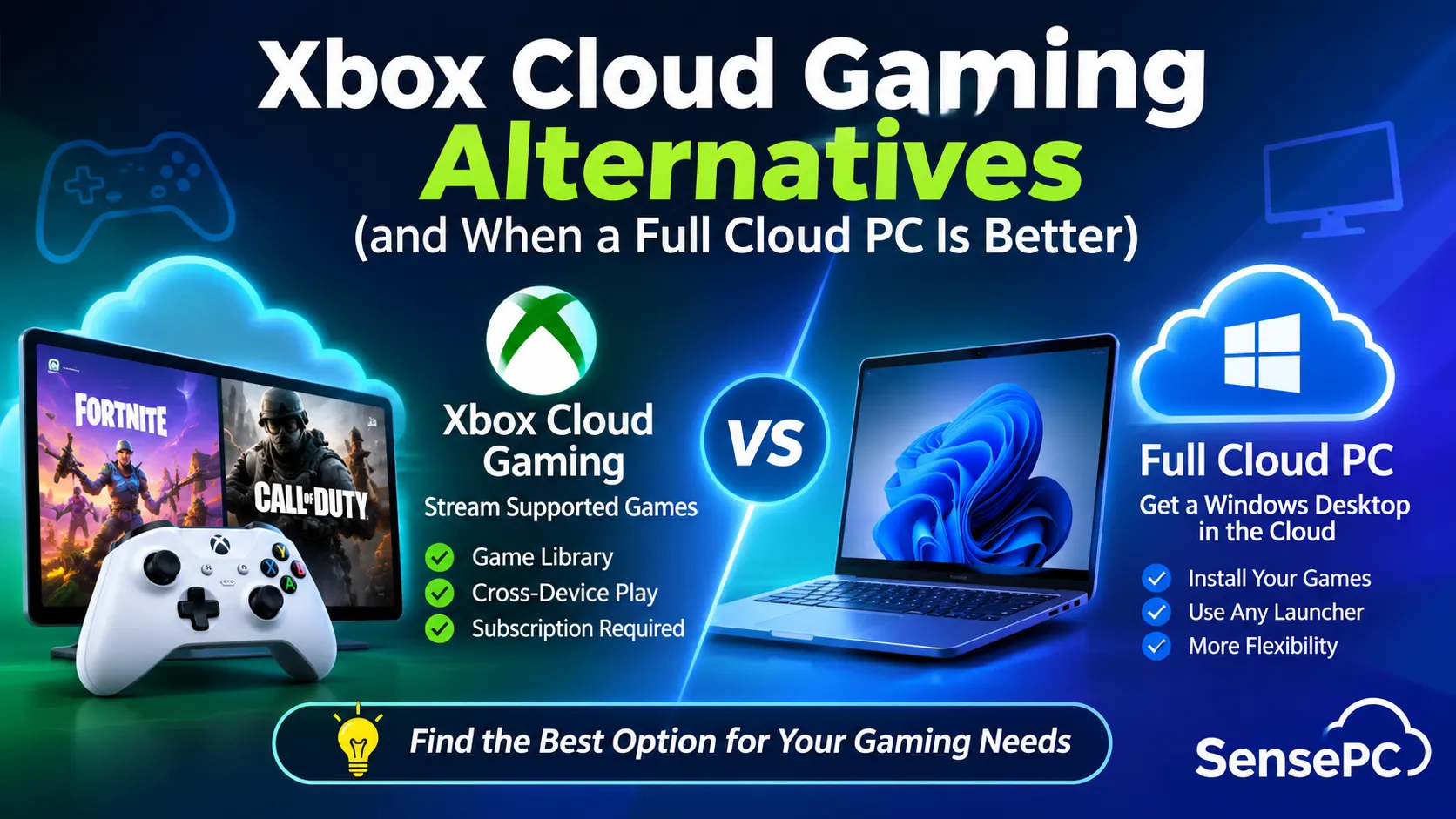
Yes, cloud gaming works on PCs and laptops, including many devices that do not have powerful gaming graphics cards. Instead of running a game entirely on your local computer, cloud gaming uses remote servers or a cloud PC to process the game and stream its video to your screen.
With a cloud PC, cloud based gaming you can access a remote Windows desktop, install compatible games, and use supported gaming launchers. SensePC brings these capabilities together with configurable cloud computers and NVIDIA L4-powered gaming options.
1. Does Cloud Gaming Work on PC?
Yes. You can use cloud gaming on a Windows PC or laptop through a supported application or web browser. Your computer mainly receives the video stream and sends your keyboard, mouse, or controller inputs to the remote server.
The process works in five steps:
-
Choose a cloud gaming service or cloud PC provider.
-
Sign in through its supported application or browser.
-
Select a supported game or open your remote desktop.
-
Launch the game on the cloud hardware.
-
Play while the remote server processes the graphics and streams the output.
This means you do not necessarily need a high-end local GPU. However, a stable internet connection and low latency are important for responsive gameplay.
2. How Does Cloud Computing for Gaming Work?
Cloud computing allows games to run on remote hardware hosted in data centers. The server handles processing, graphics rendering, and game execution, while your PC displays the streamed result.
There are two common approaches:
-
Cloud game streaming: Play supported games through a provider's catalogue or connected game library.
-
Cloud PC gaming: Rent a complete remote computer and run compatible games and applications within its desktop environment.
A cloud PC offers more desktop flexibility, while a game-streaming platform may provide a simpler experience when your preferred games are already supported.
3. Can You Buy Games and Play Them on a Cloud PC?
Yes. With a full cloud PC, you can generally purchase games through supported digital stores and install compatible titles, just as you would on a physical Windows computer.
Popular game stores include:
-
Steam
-
Epic Games Store
-
GOG
However, purchasing a game does not automatically guarantee that it will work with every cloud gaming service. Some streaming platforms only support selected games, while cloud PCs can offer broader installation flexibility, subject to hardware requirements, publisher restrictions, and anti-cheat compatibility.
You normally need to purchase your own games and use your own accounts. The cloud PC provider supplies the computing environment, not the game licences.
4. Cloud Gaming Glitches: Common Problems and Solutions
Cloud gaming can occasionally experience lag, stuttering, blurry graphics, or connection interruptions.
|
Common issue |
Possible solution |
|---|---|
|
Game lag |
Choose a closer server region |
|
Blurry graphics |
Adjust streaming resolution and bitrate |
|
Frequent stuttering |
Use Ethernet or stronger Wi-Fi |
|
Input delay |
Check network latency and packet loss |
|
Connection drops |
Restart your router and check network stability |
|
Game crashes |
Check system requirements and game compatibility |
For a smoother experience, use a stable broadband connection, preferably wired Ethernet or strong 5 GHz Wi-Fi. Reducing background downloads can also help.
5. SensePC: Cloud PC Gaming for Windows Users
SensePC provides remote Windows computers that users can access from supported devices without purchasing an expensive physical gaming desktop.
Its Xtreme gaming configurations use NVIDIA L4 graphics with 24 GB of GPU memory. Different configurations offer different CPU, RAM, and storage resources.
Key SensePC features:
-
Windows 11 cloud PC: Access a complete remote Windows desktop.
-
NVIDIA L4 graphics: Run compatible GPU-intensive games and applications.
-
Steam and Epic Games: Gaming launchers are ready on Xtreme configurations.
-
Persistent SSD storage: Keep supported games, settings, applications, and files between sessions.
-
Remote access: Connect through supported browsers or native clients.
-
Performance Mode: Use the native Amazon DCV client on supported Windows and macOS computers.
-
Flexible billing: Choose Hourly, Daily, or Monthly options.
SensePC is also suitable for compatible productivity applications, development tools, and other desktop workloads.
6. Why Choose a Cloud PC Instead of a Traditional Gaming Computer?
A traditional gaming PC requires an upfront investment in physical hardware. A cloud PC gives you remote access to computing resources through a rental model.
|
Feature |
Traditional gaming PC |
SensePC cloud PC |
|---|---|---|
|
Hardware |
Purchased locally |
Accessed remotely |
|
GPU |
Local graphics card |
NVIDIA L4 on Xtreme |
|
Windows desktop |
Local installation |
Remote Windows 11 |
|
Storage |
Local SSD |
Persistent cloud SSD |
|
Billing |
Hardware purchase |
Hourly, Daily, Monthly |
|
Internet dependency |
Not required for local gameplay |
Required for remote access |
A cloud PC can reduce upfront hardware costs, but it depends on internet quality and recurring service charges. Persistent SSD storage is billed separately from compute usage.
7. Get Started with Cloud Gaming on SensePC
Getting started is straightforward:
-
Visit the SensePC website.
-
Select a suitable cloud PC configuration.
-
Choose an available server region.
-
Select your preferred billing option.
-
Complete the required setup and Windows licensing steps.
-
Connect to your remote desktop.
-
Sign in to your game launcher and install compatible games you own.
Before purchasing, check current configuration availability, cloud computing ertvbengmishgc glitch review buy game game compatibility, and pricing.
Frequently Asked Questions
1. Does cloud gaming work on PC?
Yes. Cloud gaming works on supported Windows PCs and laptops through compatible applications and browsers. The remote server runs the game and streams it to your computer.
2. Do I need a gaming PC for cloud gaming?
No. You can use a supported laptop or standard computer because the remote server handles most of the game processing.
3. Can I buy games and play them on a cloud PC?
Yes. You can purchase and install compatible games through supported stores such as Steam and Epic Games, using your own accounts and licences.
4. Is cloud gaming better than downloading games?
Cloud gaming saves local storage and reduces hardware requirements. Downloading and playing locally can provide lower input latency and greater independence from internet quality.
5. Why does cloud gaming sometimes glitch?
Glitches can result from network instability, high latency, packet loss, server congestion, or incompatible game software.
6. Can I play Steam games on SensePC?
Yes. SensePC Xtreme configurations provide access to Steam. You need your own account and licences, and the game must be compatible with the cloud environment.
7. What GPU does SensePC use?
SensePC Xtreme configurations use NVIDIA L4 graphics with 24 GB of GPU memory.
8. Can I use SensePC from a laptop?
Yes. You can connect from supported Windows and macOS computers using supported browser or native-client access.
9. Does SensePC offer unlimited cloud gaming?
SensePC offers Hourly, Daily, and Monthly billing options. Hourly compute billing applies while the PC is running. Daily and Monthly plans include specified usage allowances rather than unlimited included hours.
10. Is a cloud PC suitable for gaming and work?
Yes. A full cloud desktop can support compatible games, productivity applications, development tools, and other software, depending on its hardware configuration.