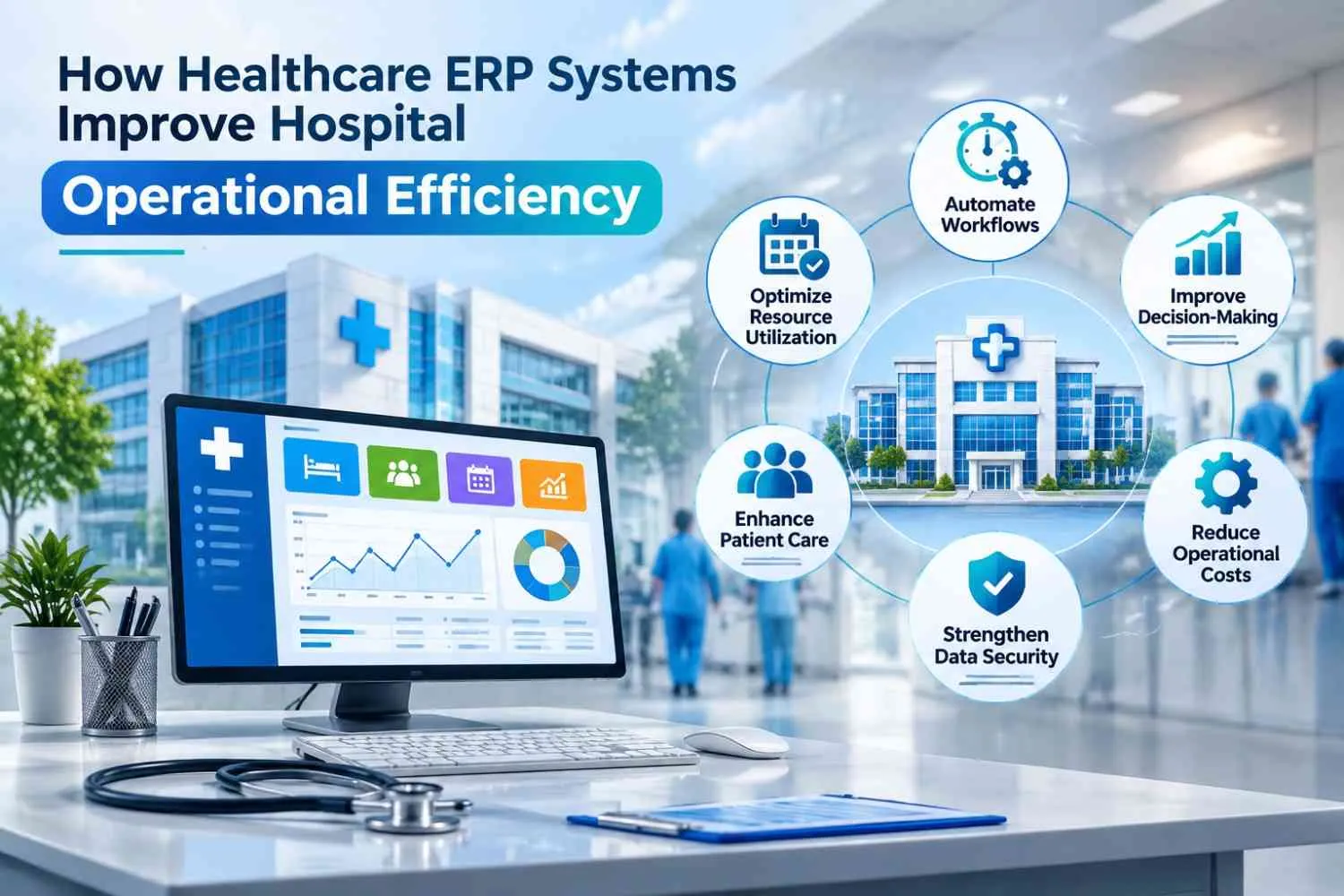
Running a hospital involves much more than providing medical treatment. Behind every patient appointment, diagnostic test, surgery, and discharge, multiple departments must coordinate their activities. Administration manages patient records, procurement handles medical supplies, finance processes payments, and hospital management monitors resources and daily operations.
When these departments use disconnected software or manual processes, information becomes difficult to track. Staff may spend valuable time searching for records, checking inventory, reconciling bills, and following up on approvals. These operational gaps can slow down hospital workflows and create unnecessary administrative pressure.
This is where Healthcare ERP Systems become valuable.
A healthcare ERP system connects essential hospital departments through a centralized software platform. It helps hospitals coordinate administrative activities, manage resources, automate routine processes, and access more consistent operational information.
Instead of maintaining separate systems for finance, procurement, inventory, human resources, and administration, hospitals can manage these functions through integrated workflows.
We explore how healthcare ERP systems improve hospital operational efficiency, which features matter most, how they support different departments, and what hospitals should consider before implementing one.
What Are Healthcare ERP Systems?
Healthcare ERP systems are integrated software platforms designed to manage the administrative, financial, operational, and resource management activities of hospitals and healthcare organizations.
ERP stands for Enterprise Resource Planning. In healthcare, it brings different business functions together so departments can share information and coordinate their activities more effectively.
For example, when a hospital purchases medical supplies, the procurement department can create a purchase request, the finance department can review the required budget, and the inventory team can update stock records through connected workflows.
This reduces the need to enter the same information into multiple systems.
Healthcare ERP software may include modules for:
-
Inventory Management: Tracks medicines, medical supplies, equipment, and stock movements.
-
Procurement Management: Manages purchase requests, supplier records, purchase orders, and approvals.
-
Financial Management: Handles billing administration, accounts payable, accounts receivable, budgeting, and financial reporting.
-
Human Resource Management: Maintains employee records, attendance, payroll information, and workforce-related processes.
-
Asset Management: Tracks medical equipment, maintenance schedules, and asset utilization.
-
Administrative Management: Supports internal approvals, department coordination, and operational reporting.
-
Reporting and Analytics: Provides insights into resource usage, financial performance, and administrative activities.
It is important to distinguish ERP from Electronic Health Records (EHR) and Hospital Information Systems (HIS). ERP primarily manages organizational resources and business operations, while EHR systems focus on patient clinical information. HIS platforms may cover a broader range of clinical and administrative hospital workflows.
These systems can integrate with one another, depending on the hospital's architecture and requirements.
Why Hospital Operational Efficiency Matters
Hospital operational efficiency refers to how effectively a healthcare organization uses its people, equipment, finances, information, and supplies to deliver services and manage daily activities.
An efficient hospital does not simply process more patients. It also coordinates departments, reduces avoidable administrative work, maintains resource availability, and makes operational decisions using reliable information.
Without connected systems, hospitals may experience several challenges:
-
Disconnected departmental information: Different teams maintain separate records, making it difficult to access updated information.
-
Inventory management problems: Poor visibility into medical supplies can lead to shortages, excess stock, or expired products.
-
Time-consuming administrative work: Manual approvals, repetitive data entry, and paperwork slow down routine processes.
-
Financial tracking difficulties: Separate billing, accounting, and procurement records make financial monitoring more complicated.
-
Limited resource visibility: Hospital administrators may struggle to understand equipment availability, workforce allocation, and department performance.
-
Delayed decision-making: Managers often need to collect information from multiple departments before identifying operational problems.
These challenges are not always caused by a lack of staff or resources. Sometimes, the bigger problem is how information and processes are managed.
Healthcare ERP software addresses these operational gaps by connecting business functions and making information easier to access across departments.
10 Ways Healthcare ERP Systems Improve Hospital Operational Efficiency
Healthcare ERP systems improve efficiency by connecting hospital departments, standardizing administrative workflows, and providing better visibility into organizational resources.
Here are ten practical ways they support hospital operations.
1. Centralizes Information Across Hospital Departments
One of the biggest operational challenges in hospitals is managing information across multiple departments.
For example, the procurement team maintains supplier information, finance manages payment records, HR maintains employee details, and inventory staff track medical supplies. When these records exist in separate systems, departments may work with incomplete or outdated information.
Healthcare ERP systems provide a centralized platform where authorized employees can access relevant operational information.
This creates better coordination between departments.
For example:
-
The procurement department can check current inventory before creating a purchase order.
-
The finance team can review purchase information and related expenses.
-
Hospital administrators can monitor department-level operational reports.
-
HR managers can access employee and attendance information.
-
Inventory staff can track stock movements across storage locations.
The main advantage is that departments no longer need to depend entirely on repeated manual communication to exchange routine information.
Operational impact: Better information availability, fewer duplicate records, improved departmental coordination, and more consistent reporting.
2. Improves Medical Inventory and Stock Management
Hospitals depend on a continuous supply of medicines, surgical instruments, diagnostic materials, personal protective equipment, and other essential supplies.
Managing these resources manually becomes increasingly difficult as the number of departments, suppliers, and inventory locations grows.
Healthcare ERP systems provide inventory management capabilities that help hospitals monitor stock levels, track movements, and manage replenishment activities.
Important capabilities include:
-
Real-time inventory visibility across departments and warehouses.
-
Batch and lot number tracking.
-
Expiry date monitoring.
-
Minimum and maximum stock level configuration.
-
Purchase request and replenishment workflows.
-
Supplier and purchase order management.
-
Inventory consumption and movement reports.
For example, when a department uses medical supplies, the inventory team can record the stock movement. The system updates the available quantity and can notify authorized staff when stock reaches a predefined threshold.
Batch and expiry tracking also help staff identify products that require closer monitoring.
However, inventory alerts do not replace proper clinical review or stock verification. Hospitals must establish appropriate processes for handling expired, recalled, and restricted supplies.
Operational impact: Better stock visibility, more organized purchasing, improved inventory control, and fewer avoidable stock-related disruptions.
3. Automates Procurement and Vendor Management
Hospital procurement involves several activities, including identifying requirements, comparing suppliers, requesting approvals, issuing purchase orders, receiving goods, and processing invoices.
When these activities rely on emails, spreadsheets, and paper-based approvals, procurement can become difficult to manage.
ERP software for healthcare connects procurement with inventory and financial management.
A typical procurement workflow may look like this:
-
A department identifies a requirement for medical supplies or equipment.
-
The procurement team creates a purchase requisition.
-
The request moves through the configured approval process.
-
Authorized staff select a supplier and generate a purchase order.
-
The receiving team records the delivered items.
-
Inventory records are updated.
-
The finance department processes the corresponding invoice.
The system can maintain supplier records, purchase histories, approval status, and transaction information in one place.
This also gives procurement managers better visibility into purchasing patterns and supplier performance.
For example, administrators can review which supplies are frequently ordered, identify delayed deliveries, and evaluate whether purchasing activities follow internal policies.
Operational impact: More structured purchasing, improved approval visibility, better supplier coordination, and reduced administrative follow-up.
4. Streamlines Financial Management and Expense Tracking
Hospital financial operations involve multiple interconnected activities, including department budgets, supplier payments, payroll, expense tracking, accounts payable, and accounts receivable.
Managing these activities through disconnected applications can make financial reporting and reconciliation more complicated.
Healthcare ERP systems connect financial processes with other operational departments.
For instance, when a purchase order is approved and goods are received, relevant transaction information can flow into the financial workflow. This reduces repeated data entry and provides finance teams with better access to purchasing information.
Financial management capabilities may include:
-
General ledger management.
-
Accounts payable and receivable.
-
Budget planning and monitoring.
-
Expense management.
-
Purchase-related financial records.
-
Department-wise financial reporting.
-
Invoice and payment tracking.
-
Financial reconciliation support.
Hospitals can also configure approval limits and authorization rules to maintain financial control.
It is important to understand that ERP financial management is not necessarily a replacement for clinical billing or revenue cycle management software. Depending on the system architecture, these functions may operate through dedicated hospital applications integrated with the ERP.
Operational impact: Better financial visibility, organized expense tracking, more consistent records, and improved administrative control.
5. Optimizes Employee and Workforce Management
Hospitals operate across multiple shifts and departments. Managing doctors, nurses, technicians, administrative employees, and support staff requires accurate workforce information.
Although clinical scheduling may require a dedicated workforce or hospital information system, ERP platforms can support many related HR and administrative activities.
These include:
-
Employee information management.
-
Attendance and leave tracking.
-
Payroll administration.
-
Department-wise employee records.
-
Shift-related administrative information.
-
Recruitment and onboarding workflows.
-
Employee document management.
-
HR reporting.
For example, HR managers can maintain centralized employee records and monitor attendance information without collecting spreadsheets from multiple departments.
The system can also support approval workflows for leave requests and employee-related administrative activities.
When ERP software integrates with workforce scheduling applications, administrators can obtain a broader view of staffing information.
However, employee allocation and clinical staffing decisions must follow appropriate professional qualifications, hospital policies, and patient-care requirements.
Operational impact: Less repetitive HR administration, improved employee record management, and better workforce information visibility.
6. Improves Medical Equipment and Asset Management
Hospitals depend on medical equipment and infrastructure to support daily operations.
Equipment such as diagnostic machines, patient monitoring devices, laboratory instruments, surgical equipment, and other hospital assets must be properly recorded and maintained.
Without a structured tracking process, administrators may find it difficult to identify equipment locations, maintenance requirements, service histories, or replacement needs.
Healthcare ERP systems support asset management by maintaining centralized records of hospital resources.
Useful features include:
-
Asset registration and categorization.
-
Equipment location tracking.
-
Maintenance scheduling.
-
Service and repair history.
-
Warranty information.
-
Asset assignment records.
-
Depreciation tracking.
-
Equipment utilization reports.
For example, an administrator can review maintenance schedules and identify equipment that requires servicing.
Maintenance teams can also record completed inspections and repair activities, creating a more organized service history.
When integrated with specialized equipment monitoring systems, ERP platforms may provide additional information about equipment status and utilization.
Operational impact: Better asset visibility, organized maintenance planning, improved equipment records, and more informed replacement decisions.
7. Reduces Manual Administrative Work Through Automation
Hospital employees handle numerous administrative activities every day. These may include purchase approvals, document verification, expense submissions, internal requests, and routine reporting.
When these activities depend on manual communication, employees spend time following up on tasks rather than completing their primary responsibilities.
Healthcare ERP systems can automate repetitive administrative workflows using predefined rules.
Examples include:
-
Automatic approval notifications.
-
Purchase request routing.
-
Leave request processing.
-
Low-stock alerts.
-
Invoice approval workflows.
-
Document status notifications.
-
Scheduled operational reports.
-
Task assignment and tracking.
Consider a hospital where every department sends purchase requests through email.
Without a structured system, administrators may need to check messages, verify information, contact department heads, and manually track approval status.
With an ERP workflow, employees can submit requests through a centralized interface. The system routes them to the appropriate approvers and records the status.
Automation does not eliminate the need for human decisions. Instead, it reduces repetitive coordination and gives employees a clearer view of pending work.
Operational impact: Faster routine workflows, fewer manual follow-ups, improved process consistency, and better employee productivity.
8. Enables Better Reporting and Data-Driven Decisions
Hospital administrators need accurate operational information to understand how resources are being used and where improvements are required.
However, collecting information from multiple departments can delay reporting and make comparisons difficult.
Healthcare ERP systems bring operational data together and provide reporting tools that support management decisions.
Depending on the modules implemented, administrators may monitor:
-
Department-wise operational expenses.
-
Inventory availability and consumption.
-
Procurement trends.
-
Supplier delivery performance.
-
Equipment maintenance records.
-
Employee attendance information.
-
Budget utilization.
-
Outstanding financial transactions.
Dashboards can present this information through charts, summaries, and configurable reports.
For example, an administrator reviewing inventory reports may identify departments with unusually high consumption of particular supplies.
Similarly, procurement reports may reveal repeated orders from suppliers with delayed deliveries.
These insights can help management investigate operational problems and adjust internal processes.
The accuracy of these reports depends on proper data entry, integration, access controls, and regular system maintenance.
Operational impact: Improved reporting visibility, better resource planning, and more informed administrative decisions.
9. Strengthens Coordination Between Hospital Locations
Multi-location hospitals and healthcare groups often manage multiple facilities, departments, warehouses, and administrative teams.
When every location maintains separate operational records, management may struggle to compare performance or understand resource availability across the organization.
Healthcare ERP systems can connect multiple facilities through a centralized architecture.
Depending on the implementation, authorized administrators can:
-
Monitor inventory across different locations.
-
Review financial information by facility.
-
Standardize procurement workflows.
-
Manage centralized supplier records.
-
Compare department-level reports.
-
Monitor asset information across locations.
-
Apply consistent administrative policies.
For example, a hospital group with three facilities may use a shared ERP platform to monitor inventory and procurement activities across all locations.
The central administration team can review stock information and purchasing patterns without requesting separate reports from every facility.
However, each facility may still require different access permissions, approval structures, and operational configurations.
Operational impact: Better multi-location visibility, standardized administrative processes, and improved resource coordination.
10. Supports Scalability and Long-Term Hospital Growth
Hospital requirements change as organizations expand their services, add departments, introduce new facilities, or increase operational complexity.
A system that works for a smaller healthcare organization may not support its future requirements without modifications.
Healthcare ERP systems can provide a scalable foundation for managing growing operational needs.
For example, a hospital planning to open another facility may need to manage additional inventory locations, employee records, supplier relationships, and financial reporting structures.
A properly designed ERP platform can accommodate these changes through configurable modules, integrations, and infrastructure upgrades.
Custom healthcare ERP solutions may also support organization-specific workflows that standard software cannot easily accommodate.
However, scalability depends on software architecture, database design, integration capabilities, infrastructure, and implementation planning.
Operational impact: More flexible operations, easier expansion planning, and a stronger foundation for future technology requirements.
Essential Features of Healthcare ERP Software
Not every hospital needs the same ERP functionality. A small healthcare facility may prioritize inventory, finance, and employee management, while a multi-specialty hospital may require advanced procurement workflows, multi-location reporting, and integrations with existing hospital applications.
The following features are worth evaluating before selecting or developing an ERP solution.
1. Centralized Database and Role-Based Access
A centralized database helps maintain consistent operational information across departments.
Role-based access control ensures employees can access only the information and functions relevant to their responsibilities.
For example, finance employees may access financial records, while inventory managers can manage stock information and purchase requests.
2. Inventory and Pharmacy Supply Management
Inventory functionality should support stock tracking, batch management, expiry monitoring, stock transfers, and replenishment workflows.
If pharmacy operations are included, the system should also consider the requirements of the hospital's pharmacy management application and applicable regulations.
3. Financial and Accounting Integration
The financial module should support accounting workflows, expense tracking, budgeting, payment records, and financial reporting.
Integration with billing and revenue cycle applications can provide a more complete view of hospital financial activities.
4. Procurement and Supplier Management
The procurement module should support supplier records, purchase requisitions, purchase orders, approval workflows, delivery tracking, and invoice-related processes.
5. HR and Payroll Management
The HR module should maintain employee information, attendance, leave records, payroll data, and other workforce administration activities.
6. Asset and Maintenance Tracking
Hospitals should be able to maintain equipment records, service histories, maintenance schedules, warranty information, and asset assignments.
7. Reporting and Analytics Dashboard
Dashboards should provide useful operational information without requiring administrators to manually combine reports from different departments.
Reports should be configurable according to management responsibilities and business requirements.
8. Integration Capabilities
Integration is particularly important in healthcare because hospitals often use specialized applications for different functions.
A healthcare ERP system may need to connect with:
-
Hospital Information Systems (HIS).
-
Electronic Health Record (EHR) platforms.
-
Laboratory Information Systems (LIS).
-
Radiology Information Systems (RIS).
-
Pharmacy Management Systems.
-
Billing and payment applications.
-
Human resource and payroll platforms.
-
Medical equipment management applications.
Integration methods may include APIs, secure messaging, and healthcare interoperability standards such as HL7 and FHIR, depending on the systems involved.
9. Data Security and Audit Trails
Healthcare organizations manage sensitive operational and patient-related information. An ERP implementation must therefore include appropriate security controls.
Important capabilities include:
-
Role-based permissions.
-
Multi-factor authentication.
-
Data encryption in transit and at rest.
-
Audit logs.
-
Secure backups and recovery procedures.
-
Session management.
-
Access monitoring.
-
Data retention and deletion policies.
Compliance requirements depend on the hospital's location, the types of information processed, and the applicable regulations. For example, organizations handling protected health information in the United States may need to meet relevant HIPAA requirements.
Security should be considered during architecture and development rather than added only after deployment.
Healthcare ERP vs. Traditional Hospital Management Software
Healthcare ERP and traditional hospital management software may share some capabilities, but they generally address different operational needs.
A traditional Hospital Management System (HMS) commonly focuses on hospital-specific workflows such as patient registration, appointments, admissions, billing, and clinical coordination.
Healthcare ERP primarily focuses on organizational resources, finance, procurement, inventory, workforce administration, and asset management.
Here is how their typical areas of focus differ:
-
Primary purpose: HMS supports hospital service delivery and patient-related workflows, while ERP supports organizational and administrative resource management.
-
Inventory management: Both may offer inventory functionality, but ERP generally connects inventory with procurement, finance, and supplier management.
-
Financial operations: HMS may manage patient billing, while ERP can provide broader accounting, budgeting, and expense management.
-
Workforce management: ERP generally provides broader HR and payroll capabilities, while HMS may support clinical scheduling and department-level staffing.
-
Reporting: HMS focuses on hospital service and patient-related reporting, while ERP provides organizational and resource-related reports.
-
Integration: Both can integrate with other applications, but their integration requirements depend on the hospital's existing technology environment.
These are general distinctions rather than fixed product boundaries. Modern HMS and ERP platforms can overlap significantly.
For many hospitals, the most practical approach is not to replace one system with another. It is to integrate them so clinical and administrative teams can work with connected information.
How Healthcare ERP Systems Work With Existing Hospital Applications
A healthcare ERP system does not need to operate independently. In fact, integrating it with existing hospital applications is often essential for improving operational efficiency.
Consider a hospital that already uses an HIS for patient registration, an EHR for clinical records, and a separate pharmacy application for medicine management.
The ERP platform can connect with these applications to support related administrative processes.
For example:
-
The HIS manages patient-related hospital workflows.
-
The pharmacy application maintains medicine-related information and transactions.
-
Inventory data is shared with the ERP through an appropriate integration.
-
The ERP connects procurement and supplier information with inventory requirements.
-
Financial information is transferred to the relevant accounting workflows.
-
Hospital administrators access consolidated operational reports.
This architecture allows different applications to perform their specialized functions while reducing information gaps between departments.
Common Integration Approaches
API Integration: APIs allow different applications to exchange information through defined interfaces. They are useful for connecting ERP systems with billing platforms, HR applications, inventory tools, and other software.
HL7 Integration: HL7 standards support the exchange of healthcare information between compatible systems. The specific message types and implementation depend on the systems involved.
FHIR Integration: Fast Healthcare Interoperability Resources (FHIR) provides a framework for exchanging healthcare information through standardized resources and APIs.
Database Integration: In certain controlled environments, database-level integration may be appropriate. However, direct access to another application's production database should be carefully evaluated because it can create security, maintenance, and data consistency problems.
Middleware Integration: Middleware can connect multiple applications, transform data, manage communication, and coordinate workflows between different platforms.
The right integration approach depends on existing software, data structures, security requirements, and operational needs.
Challenges Hospitals Should Consider Before Implementing Healthcare ERP
Healthcare ERP implementation is not simply a software installation project. It involves changes to existing processes, information management, employee responsibilities, and departmental coordination.
Understanding common challenges before implementation can prevent unnecessary complications.
1. Data Migration and Data Accuracy
Hospitals may have years of operational information stored in spreadsheets, legacy applications, and separate databases.
Moving this information into a centralized ERP platform requires careful planning.
Duplicate records, inconsistent formats, missing information, and outdated entries should be identified before migration.
A practical migration process includes:
-
Reviewing existing data sources.
-
Identifying duplicate and incomplete records.
-
Standardizing data formats.
-
Mapping old records to the new system.
-
Testing migrated information.
-
Validating important records with responsible departments.
2. Employee Training and Adoption
Even a well-designed ERP system may fail to deliver expected results if employees do not understand how to use it.
Different departments have different requirements. Procurement staff, finance teams, inventory managers, and HR employees should receive training relevant to their daily responsibilities.
Hospitals should also introduce the system gradually where appropriate and provide ongoing support after deployment.
3. Integration With Legacy Applications
Existing hospital applications may use different technologies, data formats, and communication methods.
Integration planning should identify which applications need to exchange information, what data should be shared, and how errors will be handled.
A proper integration strategy also needs monitoring, authentication, and data validation.
4. Data Privacy and Security Requirements
Healthcare ERP systems may process sensitive financial, employee, supplier, and patient-related information.
Hospitals should identify applicable data protection requirements before selecting the hosting environment and software architecture.
Security planning should include access control, encryption, auditability, backup policies, vulnerability management, and incident response procedures.
5. Customization and Future Maintenance
Every hospital has its own operational structure and administrative requirements.
Excessive customization, however, can make future upgrades and maintenance more complicated.
Hospitals should distinguish between essential business requirements and preferences that can be addressed through standard configuration.
A modular architecture and well-documented customizations can make future maintenance more manageable.
Steps to Implement a Healthcare ERP System Successfully
A structured implementation process helps hospitals align technology with their actual operational requirements.
Rather than starting with software features, organizations should first understand how their departments work.
Step 1: Evaluate Existing Hospital Operations
Start by reviewing existing administrative and operational workflows.
Identify where information is stored, how approvals are handled, which activities require repeated data entry, and where communication gaps occur.
Consult department representatives to understand their daily challenges.
Step 2: Define Business Requirements
Prepare a list of required ERP modules and integrations.
For example, a hospital may prioritize inventory management, procurement, accounting, HR, and asset management.
Define which features are essential for the initial release and which can be introduced later.
Step 3: Choose the Right ERP Development Approach
Hospitals can evaluate three main approaches:
-
Ready-Made ERP Software: Suitable when existing software already supports most operational requirements.
-
Customized ERP Software: Suitable when a standard platform provides a foundation but requires configuration and additional functionality.
-
Custom-Built Healthcare ERP: Suitable when the hospital has specialized workflows, complex integrations, or requirements that existing platforms cannot adequately support.
The decision should consider functionality, integration compatibility, data security, long-term maintenance, and scalability.
Step 4: Plan System Architecture and Integrations
Before development or configuration, define the system architecture.
Determine how departments will communicate, how information will be stored, and which external applications need integration.
Plan authentication, permissions, backups, monitoring, and data migration at this stage.
Step 5: Develop and Configure the Required Modules
Implement the selected modules according to the agreed requirements.
Prioritize essential workflows and avoid adding unnecessary functionality that makes the system difficult to use.
The interface should be practical for employees who use the software throughout their working day.
Step 6: Test the System Before Deployment
Testing should cover more than whether individual screens work correctly.
Important testing activities include:
-
Functional testing.
-
Integration testing.
-
Data migration validation.
-
User acceptance testing.
-
Security testing.
-
Performance testing.
-
Backup and recovery testing.
-
Role and permission verification.
Realistic departmental scenarios should be used to validate the system.
Step 7: Train Employees and Launch in Phases
Provide role-specific training and introduce the system according to a planned rollout schedule.
A phased deployment can allow hospitals to validate essential workflows before expanding the implementation to additional departments.
Step 8: Monitor Performance and Improve the System
After deployment, monitor usage, workflow completion, data accuracy, integration failures, and user feedback.
Regular reviews help identify problems and determine where additional configuration or development is required.
How AI and Automation Are Expanding Healthcare ERP Capabilities
Artificial intelligence and automation are creating new opportunities for improving hospital administration and resource management.
While traditional ERP systems primarily organize business processes and information, newer platforms can incorporate intelligent tools to support analysis, forecasting, and workflow automation.
Here are some areas where these capabilities can make a difference.
1. AI-Assisted Inventory Forecasting
AI-powered analytics can examine historical consumption patterns, purchasing records, and seasonal demand to estimate future inventory requirements.
For example, a hospital may use historical usage data to identify frequently consumed medical supplies and plan replenishment accordingly.
These predictions should support, rather than replace, inventory managers' decisions.
2. Automated Document Processing
Hospitals handle purchase invoices, supplier documents, employee records, and administrative forms.
Intelligent Document Processing (IDP) can extract relevant information from supported documents and transfer it into appropriate ERP workflows.
Employees can review extracted information before approving or processing important transactions.
3. Predictive Equipment Maintenance
When connected to suitable equipment monitoring systems, AI models can analyze maintenance histories and equipment sensor data to identify potential maintenance concerns.
This can help maintenance teams prioritize inspections and plan servicing activities.
Actual predictive maintenance capabilities depend on equipment connectivity, data availability, and model accuracy.
4. Intelligent Reporting and Data Analysis
AI-assisted reporting tools can help administrators explore operational information using natural-language questions.
For example, an administrator might ask:
-
Which departments have the highest inventory consumption?
-
Which purchase requests are still awaiting approval?
-
What are the recurring equipment maintenance issues?
-
How have departmental expenses changed over time?
The system can generate relevant summaries and direct users toward supporting reports.
However, sensitive operational decisions should remain subject to human review and appropriate access controls.
5. Automated Administrative Workflows
AI agents and workflow automation tools can support repetitive administrative activities, such as categorizing requests, routing documents, preparing summaries, and notifying responsible employees.
Hospitals should define clear permission boundaries and approval requirements before allowing AI tools to initiate actions within operational systems.
The goal is to make administrative work more organized without compromising accountability, privacy, or operational control.
How to Measure the Operational Efficiency of a Healthcare ERP System
Implementing healthcare ERP software is only one part of improving hospital operations. Hospitals also need to understand whether the system is producing meaningful improvements.
Establishing baseline measurements before implementation makes it easier to evaluate results afterward.
Here are useful Key Performance Indicators (KPIs) to monitor.
Inventory accuracy: Measures how closely recorded stock quantities match physically verified inventory.
Stockout frequency: Tracks how often required supplies become unavailable when needed.
Purchase order processing time: Measures the time between submitting a purchase request and completing the purchase order process.
Procurement approval time: Tracks how long purchase requests remain in approval workflows.
Invoice processing time: Measures the time required to review, approve, and process supplier invoices.
Equipment maintenance compliance: Tracks whether scheduled maintenance activities are completed according to established plans.
Administrative processing time: Measures the time required to complete selected repetitive administrative activities.
Data entry error rate: Tracks errors or inconsistencies in operational records.
ERP adoption rate: Measures how consistently employees use the implemented system for their assigned workflows.
Hospitals should compare these KPIs over consistent reporting periods and account for changes in workload, staffing, and operational conditions.
For example, if purchase approval time decreases after implementation, administrators can investigate whether automated routing and clearer approval responsibilities contributed to the improvement.
This approach connects ERP implementation with measurable operational objectives rather than relying on assumptions.
Why Custom Healthcare ERP Development May Be the Right Choice
Ready-made ERP software can work well for hospitals with standard operational requirements. However, healthcare organizations with specialized workflows may need additional flexibility.
For example, a multi-specialty hospital may require custom procurement approvals, integration with existing HIS and EHR platforms, location-specific inventory controls, or specialized financial reporting.
A custom healthcare ERP solution can be designed around these requirements.
Working with an experienced ERP software development company allows hospitals to plan software architecture, develop required modules, connect existing applications, and establish a system that supports their operational processes.
Important considerations when selecting a development partner include:
-
Experience developing enterprise software.
-
Understanding of healthcare workflows and integrations.
-
Knowledge of data security and privacy requirements.
-
Ability to develop scalable application architecture.
-
Experience with APIs and third-party systems.
-
Clear testing and deployment processes.
-
Ongoing maintenance and technical support.
The objective should not be to build the largest possible ERP platform. It should be to develop a system that addresses actual operational problems and can evolve as hospital requirements change.
Conclusion
Hospital operational efficiency depends on how effectively different departments manage information, coordinate activities, and use available resources.
Healthcare ERP systems bring essential administrative functions together through connected workflows. From inventory and procurement to financial management, employee administration, and asset tracking, they provide hospitals with better visibility into daily operations.
However, successful implementation requires more than choosing software with multiple features. Hospitals must understand their existing processes, select suitable modules, plan integrations, protect sensitive information, and train employees.
For healthcare organizations with specialized requirements, custom ERP development can provide the flexibility to build a solution around their operational needs.
KanhaSoft develops custom software solutions designed around business workflows, integration requirements, and long-term scalability. With the right development approach, hospitals can build connected operational systems that support better resource management and more organized administration.
Frequently Asked Questions About Healthcare ERP Systems
1. What is a healthcare ERP system?
A healthcare ERP system is an integrated software platform that manages hospital administrative and operational activities, including inventory, procurement, finance, human resources, and asset management. It connects departments through shared information and coordinated workflows.
2. How do healthcare ERP systems improve hospital efficiency?
Healthcare ERP systems improve operational efficiency by centralizing information, automating administrative tasks, streamlining procurement, tracking inventory, organizing financial records, and providing management with better reporting capabilities.
3. What are the main modules of ERP software for healthcare?
Common healthcare ERP modules include:
-
Inventory management.
-
Procurement management.
-
Financial and accounting management.
-
Human resource management.
-
Asset management.
-
Supplier management.
-
Reporting and analytics.
-
Administrative workflow management.
The required modules depend on the hospital's size, operational structure, and existing software environment.
4. What is the difference between healthcare ERP and hospital management software?
Healthcare ERP primarily manages organizational resources, including finance, procurement, inventory, HR, and assets. Hospital management software generally focuses on hospital-specific workflows such as patient registration, appointments, admissions, and billing. Both systems can integrate to support connected hospital operations.
5. Can healthcare ERP software integrate with existing HIS and EHR systems?
Yes. Healthcare ERP software can integrate with existing HIS and EHR platforms using APIs, middleware, HL7, FHIR, or other compatible integration methods. The appropriate approach depends on the applications, data requirements, and security architecture.
6. Is custom healthcare ERP software better than ready-made ERP?
Neither option is universally better. Ready-made ERP software may be suitable for hospitals with standard requirements, while custom ERP development can be more appropriate when an organization needs specialized workflows, custom integrations, or greater control over system architecture.
7. How does ERP software improve hospital inventory management?
ERP software helps hospitals track stock quantities, monitor expiry dates, manage batch information, record stock movements, automate replenishment notifications, and coordinate purchasing activities.
8. Is healthcare ERP software secure?
Healthcare ERP software can be designed with security features such as encryption, role-based access, multi-factor authentication, audit logs, secure backups, and access monitoring. However, actual security depends on implementation, configuration, maintenance, and compliance with applicable regulations.
9. How does AI improve healthcare ERP systems?
AI can extend healthcare ERP capabilities through inventory forecasting, document processing, predictive maintenance, intelligent reporting, and administrative workflow automation. These features depend on data quality, system integrations, and appropriate human oversight.
10. What should hospitals consider when selecting an ERP software development company?
Hospitals should evaluate healthcare workflow knowledge, enterprise software development experience, integration capabilities, security practices, scalability, testing procedures, documentation, and post-deployment support.